Have you recently faced problems in understanding your ideas after a brain dumping session?
Speaking of which, you might need a concept map maker.
Whether you’re an aspiring student or a business owner, concept maps can help. This is because ideas keep flowing through your head, and it becomes essential to capture them and interpret meaningful information from them in order to get more out of them.
Many people have the habit of writing down their ideas in a diary, but simply storing them is not helpful. You need to connect things and imprint meaningful information on ideas and concepts so that they can be further processed to add value in research or business.
Don’t you think it’s difficult to understand?
Let me explain briefly with an example.
If you know the programming languages C and C++, learning Java will be a little easier.
or
If you have experience of driving a car on hilly stations, it will be easier to drive on other flat terrains.
What is the reason behind it?
Whether it’s driving or programming languages, your previous experience will pave the way for what comes next. When new knowledge is integrated and connected with existing knowledge, it becomes easier to understand and remember.
Concept maps work similarly.
Let’s dig deeper into the science of concept mapping and understand everything about it.
A concept map is a diagrammatic or visual representation and organization of knowledge. The diagram is displayed on a 2D paper from top to bottom. The core concept is organized by keywords at the top, and below that, related ideas are placed in boxes or bubbles and connected to the core concept through connectors.
Concept maps follow a hierarchical structure, where the relationships between different ideas are clearly expressed through connected phrases, and explain how ideas are related to each other through short phrases.
The method of visualizing relationships between several concepts is called concept mapping.
This graphical tool is great for students as well as professionals such as engineers, instructional designers, technical writers, and entrepreneurs.
History of concept maps
Credit for the development of concept maps goes to research scientist and American educator Joseph D. Novak and his team at Cornell University in the 70s.
Concept maps emerged as a result of research into understanding how students understand basic science concepts. Their study found that detailed forms of interview transcripts alone were not sufficient to help students understand various scientific concepts.
Therefore, a better way to represent things was needed, which ultimately led to the development of concept maps in 1972.
Why should I create and use concept maps?
Concept maps explain how thoughts relate to each other and can be a great learning tool for anyone. Maps help you connect the dots and discover new relationships between previously acquired knowledge and new concepts.
A hierarchical structure in which ideas are arranged in a cascade could be a potential learning approach. It helps you identify where your ideas fit into the big picture and come up with new concepts in the process.
In general, you can use concept maps to:
- brainstorm ideas
- Structure your thoughts and arrange them appropriately to derive meaningful information.
- Establish meaningful relationships between different ideas
- Introducing the subdivision of ideas
- Take notes summarizing important concepts
- create a completely new concept
- Visualize the underlying concept
- Find solutions to problems in a creative style.
- Introduce new topics and assess previous knowledge
- learning assessment
- Highlight differences and similarities between two concepts.
Are concept maps the same as mind maps?
I learned about concept mapping somewhere on the internet and found it to be a great help. All of a sudden, the next article you see is talking about mind maps or topic maps.
Well, you must be confused!
You have a right to that, because it seems really confusing at first.
But here’s the thing – they’re different.
Let’s see how!
concept map
- Represents a network of several interconnected concepts.
- Seems to be more on the logical side
- Great for mapping your knowledge and analyzing content gaps
- Nodes can have many-to-many relationships
- Easily verified with connection phrases
- If you have more than 20 nodes, changes can be difficult
- Highlight both the topic and its connections
- Topics may be interlinked
- statement suggestion; means that a particular sentence is formed for each two nodes connected by a link phrase
psychological diagram
- It is a tree diagram that allows you to organize information.
- Seems to be more flexible
- Helps you brainstorm, take quick notes, and generate ideas
- Nodes typically have a simple one-to-one relationship.
- unverifiable
- Easy to change even if the node is large
- Focus more on the topic itself
- No crosslinking
- No statement suggestions
How do concept maps help organize your thoughts?
Concept maps benefit both the presenter and the person learning new information. We can explain all kinds of systems, such as proposing new plans, training students, etc.
Let’s take a look at how concept maps can help you.
quick translation
You can understand ideas faster by looking at concept maps than by reading them in books or articles. That’s because your brain processes information faster when it’s presented in a visual format that emphasizes key points and summarizes them concisely.
Helps prepare presentations
Create a concept map to organize your ideas in a concise, logical format and present them in a presentation. It will have a deeper impact on the listener.
Efficient assessment of knowledge
Instead of choosing a traditional set of questions or multiple-choice assessments, educators can leverage concept maps to assess students’ knowledge on specific topics.
Explain the hierarchy of ideas
You can show relationships between different components in different ways. The best part is that the map follows a hierarchical structure, allowing you to read data with specific information from the top level, and how the data progresses as you go down the lane, interconnecting with smaller details. I mean.
Foster team collaboration
When people can express their ideas in a more comprehensive way through concept maps, they tend to understand them more deeply. Therefore, it becomes easier to collaborate on planning.
Visual representations stimulate brain activity. Concept maps are meant to visually represent ideas in a creative way. Therefore, you can develop your analytical skills and higher order thinking skills. It also makes it easier to process and recall information.
How do you draw a concept map?
Choose your preferred drawing medium
There are two options. You can draw maps on a whiteboard or 2D paper using a pen or software-based tools.
The software makes it relatively easy to create, modify, and fine-tune diagrams. Plus, you can save as many designs as you want on the web and come back and edit them later.
Decide on a central concept
Identify the reason behind creating a concept map. Think about a problematic question that needs to be solved. Think in your mind of the questions you want to answer using a concept map.
Extract the core concept based on the question and write it at the top.
Identify related concepts
List all related ideas that might help solve the problem. Rank them based on whether they are specific or general.
Briefly explain these subconcepts using one to two words per concept.
Place elements and add link phrases
Order subconcepts based on hierarchy. Put the most common ones at the top of your main concepts. Similarly, put specific ideas at the bottom. Connect your ideas with lines and enter linking phrases on each line to describe the relationships between the nodes.
Check the final look
Check if all elements are placed in the correct place. Check if your connection phrases make sense. See if the arrangement is good. If not, you can find a more suitable position.
Fine-tune everything and your concept map is ready.
So, without further delay, let’s find some online platforms for creating concept maps and save a lot of time and enjoy other benefits associated with it.
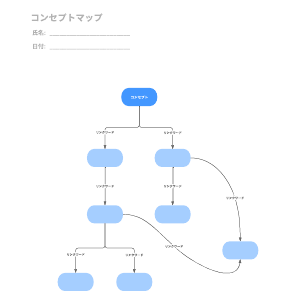
Milo
Looking to understand new concepts?
Want to explore relationships between complex ideas?
No matter your use case, Miro will help you create great concept maps.
Save time by using Miro’s built-in templates instead of creating everything from scratch. Miro allows you to engage remote and co-located teams through an unconstrained virtual whiteboard, allowing you to invite your team to collaborate on concept maps.
You will get a template like this:
- Lean Canvas to outline important points about your business
- Market segmentation matrix to identify key opportunities for growth
- RACI matrix to track responsibilities while ensuring meaningful conversations
- 5 Why Templates to Uncover the Root Cause of Problems
- Strategy Diamond Template for a Robust Business Strategy
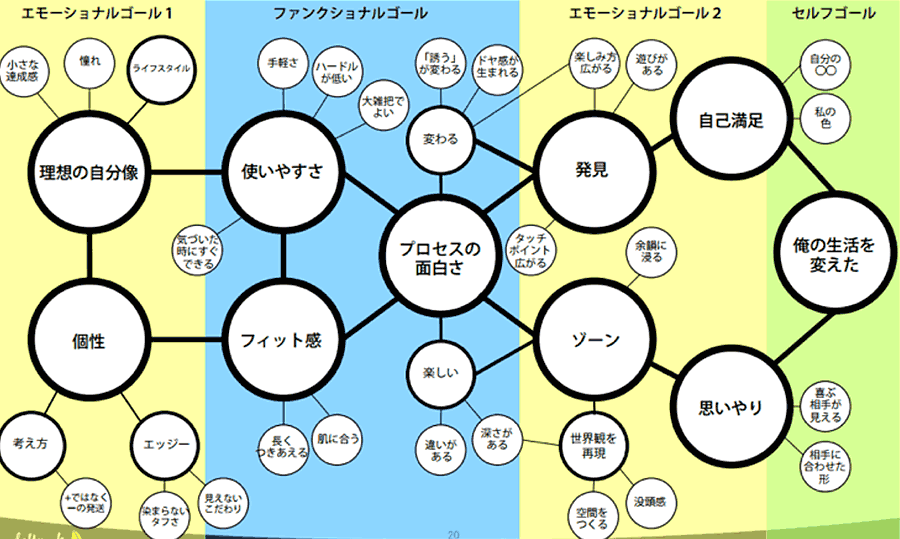
lucid chart
Accelerate your innovation journey by creating new concepts in Lucidchart .
For learning and teaching, it helps you visualize relationships between ideas, notes, and events, plan curriculum, outline projects, and create guides. Its customizable formatting options give you control over your maps and help you build lessons and assessments that support learning.
Businesses can use Lucidchart’s concept map generator to create ideas that are easily understood by employees in different departments, including non-technical people. Use it to generate results, such as simplifying existing relationships, finding contradictions and gaps, and fostering creative understanding and problem solving.
Templates are designed to help you explain your ideas clearly and quickly. You can drag and drop shapes and elements to connect the main topic with other subtopics. Organizing your ideas in multiple colors makes them easier to understand.
You can customize every aspect of your map, including changing the layout and adding screenshots or images of specific messages before printing. Lucidchart features in-editor chat and real-time updates to build on ideas suggested by other contributors.
Lucidchart allows integration with Google Workspace, allowing you to manage and access your maps online.
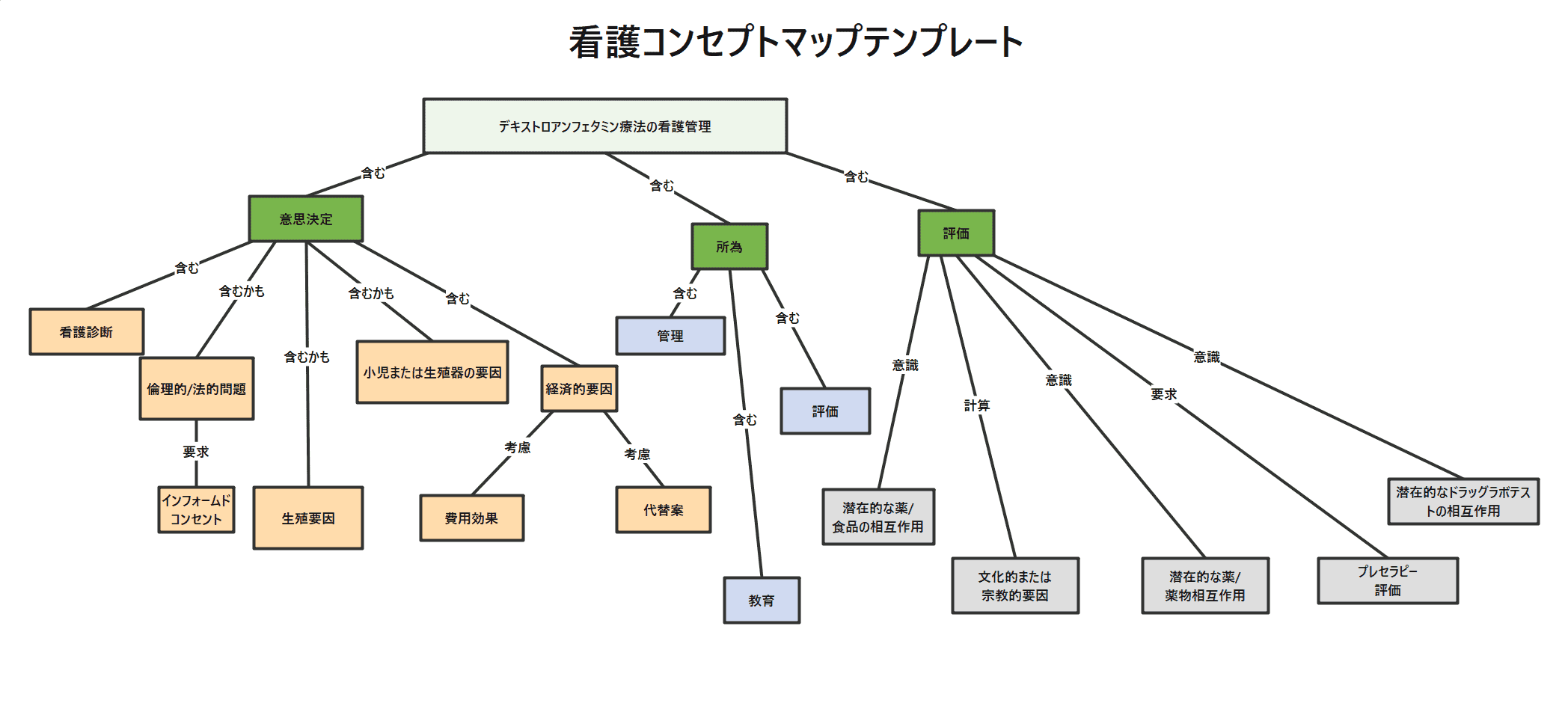
Edlow
Brainstorming doesn’t have to be boring.
Get attention by creating beautiful concept maps with Edraw.
Be amazed by the countless templates, shapes, icons, and symbols offered. Simply select and customize the elements you want to start with.
All templates provided are fully customizable, printable, and editable. Templates include Ben Style, Marketing, Cycle, Colorful, Rectangular, Thought Map, and more.
Concept Map Builder allows you to summarize and organize fragmented knowledge in a specific order. Use attractive connectors and link text to facilitate communication between two concepts. Edraw Max’s powerful customization and intuitive interface allow you to create high-quality maps.
If you like working with MS Office, you’ll love Edraw Max for its ease of use and interface. Easy to use with drag and drop functionality.
With cloud storage and cloud-based collaboration options, you can work with your team anytime, from anywhere, using any device. You can share your work on social media and export your files to a variety of file formats, including PDF, Microsoft PowerPoint, and various image formats.
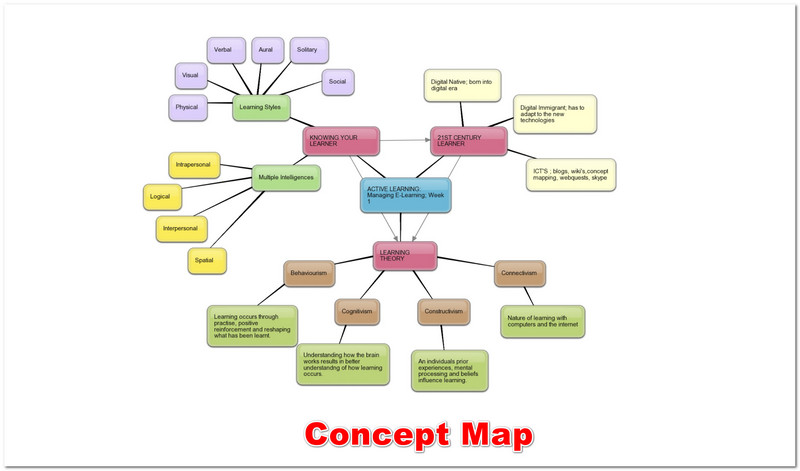
Visme
Want to create a concept map to explain a complex topic to your team?
If yes, you can do it in minutes with Visme .
A wide range of tools allows you to include shapes, connect lines, and place them across the canvas to create designs from scratch that get your message right.
Visme has attractive customization options that help you change the look of everything in your drawing. You can minimize or expand shapes while keeping connected lines intact. Use the Actions tab in the top right corner to add playful highlights with color, change text and fonts, and animate your map.
Visme offers ready-made templates, tons of images and icons, and a wide range of design elements. You can download the map as a PDF or image file. Generate a shareable link or embed it on your web page. Incorporate graphs and charts and visualize numbers and statistics using customizable data widgets.

creatively
Creately ‘s simplicity makes it easy to visualize concepts. We’re already empowering over 4 million people and thousands of teams. With a little effort, you can organize and visualize elements.
Creately’s advanced features make it easy to draw even the most complex concept maps. It offers smart shapes, connectors, built-in styling options, image import, and more. Share your drawings with your team and receive immediate feedback.
Creately has thousands of high-quality templates for a variety of scenarios for marketing, IT, software, HR, and education teams. Whether you’re using macOS, Windows, Linux, or Android, Creately is easy to use. It also comes with a 30-day money-back guarantee, so you can try it out without worrying about losing your money.
smart draw
Concept Map Maker by SmartDraw lets you visualize concepts without interrupting your creative flow. When you have an idea, just draw it on your concept map. You can edit your concept map at any time, so keep adding ideas as they come to you.
SmartDraw has intelligent formatting options that give your maps a professional look. Easily start adding or removing ideas, rearranging, and arranging shapes using simple commands. Apply colors, fonts, and gradients to work like a professional designer using professional themes like Grayscale, Everest, and Calico.
Insert the map into your report. Integrate these with tools like Microsoft Office, Google Workspace, Dropbox, Box, OneDrive, JIRA, and more. You can also connect Maps to Trello and host meetings to further discuss ideas. Instantly convert your map into a Gantt chart with one click.
Any changes you make on one map are automatically reflected on the other map. You have the option to share files by emailing a link to non-SmartDraw users.
zen mind map
Zen Mind Maps is an easy-to-use and simple tool for creating concept maps. There are no sidebars or floating icons in that workspace, so there are no distractions.
Zen’s user-friendly and simple interface makes designing thoughtful maps faster and easier. We also removed unnecessary features that were cluttered and bulky. Use emojis to make your concept maps memorable and interesting.
There is an option to download the PDF file. However, you can also publish documents live, where changes made are automatically reflected. The various templates included are for business planning, OKR management, problem solving, essay planning, task assignment, and marketing.
Mindomo
By drawing a comprehensive concept map on Mindomo , you can structure information about a certain topic. Let your imagination go even further by customizing and customizing your map to the fullest.
Risk management, math division, fishbone diagrams, and more – you can create everything from scratch or use templates. You can edit elements such as the arrow and its color, shape, pattern, and position.
A quality platform allows you to collaborate with your average member in real time, increasing efficiency and saving time. Changes take effect instantly, and you can also track all changes made using Play History.
Mindomo also lets you chat directly, so you don’t have to waste time or lose focus switching between difficult applications. There are multiple options for sharing your map.
- with certain people
- Can only be viewed by the person you shared the link with
- Only people who shared the link to edit
- public sharing
Optionally, you can communicate your concept map to other forms of diagrams, such as Gantt charts, mind maps, and outlines.
Mindomo supports integration with Google Classroom, Canvas, Schoology, Blackboard, and more.
visual paradigm online
Visual Paradigm Online or VP Online comes with simple tools with a drag-and-drop editor that lets you build stunning concept maps in minutes. It’s intuitive, so you don’t have to waste time learning the software. Instead, all attention is focused on the design.
Start creating maps by editing free, fully customizable templates for social networking, data analysis, climate change, course content, and more. We offer over 1700 such templates, all of which are of high quality.
design cap
Do you need to design a concept map if you have no design experience?
no worries!
Try DesignCap ‘s free concept mapping software and create amazing designs. Includes a wide range of example maps for nursing, science, biology, cellular respiration, and more.
All you need to do is select one template that meets your requirements and start exploring. DesignCap offers thousands of available resources such as graphics, design elements, colors, along with powerful editing features and fonts.
Stemic
Stemic is a web application for creating concept maps. It allows users to write ideas on a digital whiteboard and diagram a situation, problem, or problem in the form of a graph.
The free version lets you take notes, organize your ideas, and draw links to connect ideas like a classic mind map.
But Stemic is more than just a brainstorming tool.
Stemic pushes the boundaries of mind maps by allowing users to describe objects they interact with, classify them, define the nature and direction of links, and more. Thus, it helps users build analysis, model and structure knowledge. thought.
The interface is minimal and has a sleek design to emphasize user analysis. Fluid, intuitive interactions are designed to facilitate data manipulation and support thinking.
Stemic includes Pro for users who want to take advantage of the application’s most advanced features, such as collaboratively editing concept maps, copying shared maps, using hyperlinks, and configurable export of maps (frames, themes, titles, legends). There are also offers. .
Kamba
Great design seems to be synonymous with Canva .
That means this website has tons of possibilities for designing everything from marketing and business materials to social media and personal checklists.
Concept maps are one of them.
Canva gives you the flexibility and ease to draw great concept maps to brainstorm, organize ideas, and solve complex problems. We offer over 20 professional charts to choose from, along with well-designed templates and multiple pre-designed layouts to get you started quickly.
Express your ideas with millions of illustrations, images, vectors, and icons. Customize the template by changing colors, text, and elements to make it attractive. Canva offers hundreds of free fonts to convey your brand identity, style, and purpose.
It doesn’t matter if you’re a designer or not!
Place using the drag-and-drop editor. Embed concept maps into your presentations and reports without any hassle. There’s no need to learn complex software, and you can seamlessly visualize your data through Canva’s intuitive interface.
Get new angles and ideas for your concepts by collaborating with your team, sharing an editable copy of your design, and adding comments and making edits from anywhere in the world. Once you’ve completed your design part, you can save it and download, publish, or share your beautiful high-resolution map.
conclusion
When an idea is organized, it becomes easier for learners as well as businessmen to understand the concept by dividing it into several parts. Take advantage of efficient concept mapping tools to gain a deeper understanding of a topic and apply that knowledge to further study or business activities.


![How to set up a Raspberry Pi web server in 2021 [Guide]](https://i0.wp.com/pcmanabu.com/wp-content/uploads/2019/10/web-server-02-309x198.png?w=1200&resize=1200,0&ssl=1)


