Cloudflare apps aren’t new, but they recently introduced over 200 tools to grow your email list, make money online, and get more customers.
The Cloudflare app has a new look and is now easier to integrate with your website.
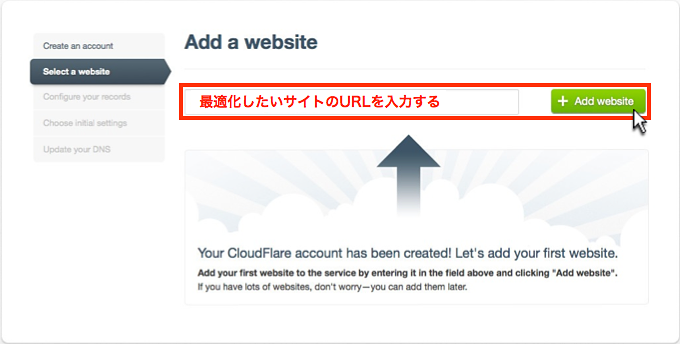
What is the Cloudflare app?
It’s like an app store where you can explore tools from multiple categories such as SEO, social media, conversions, payments, security, images, advertising, analytics, and more.
You can preview it and install it if you are satisfied with the result.
Let’s take one real-time example . If you’re running a WordPress site and want to integrate Google Analytics, you’ll need to install the plugin and manage the configuration. Want to implement Google Analytics at the edge of your network without installing anything on your website?
Isn’t it cool?
Imagine being able to get your work done without installing any software on your website.
Why use the Cloudflare app?
Every website needs additional features such as growing your email list, sharing content, and accepting payments. The traditional way to accomplish this is to install a plugin or extension on your server.
These additional plugins/extensions add a few bytes to the page and likely include additional CSS and JS files, which increases HTTP requests. Remember that you should always update when a new version is available.
Therefore, overall page size, HTTP requests, and maintenance responsibilities increase.
Cloudflare apps are a new way to integrate applications into your website .
- You don’t need to install anything on your server.
- There’s no need to bother upgrading when a new version becomes available.
- Preview the results of your application before pushing your changes to your live site.
- Installing or uninstalling an app takes less than a minute.
- Applications are served from one of the Cloudflare PoP networks closest to the user.
Who can use the Cloudflare app?
The Cloudflare app is available to all Cloudflare users under the Apps tab.
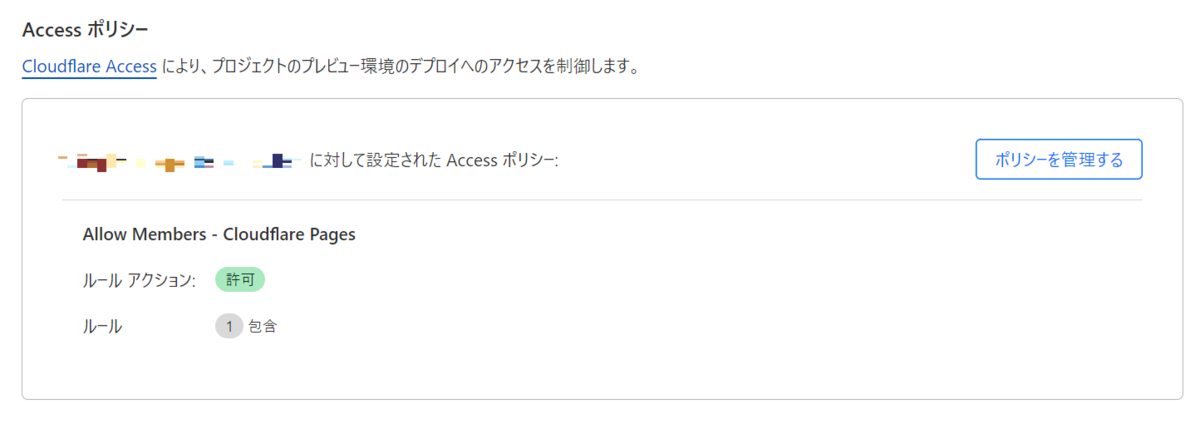
How do I add an app?
Adding the Cloudflare app to your website is easy.
- Log in to Cloudflare
- Select the site where you want to install the app
- Go to the “Apps” tab
- Select the app you want to install from the list and click Preview
- You’ll see a preview of that app in the right panel (below the Drift example).
If there are no problems, click “Install” to complete.
There are some great apps worth trying out.
- Live Chat – Chat with prospects, visitors using Drift, Chatra.
- Expand your social media sharing – Instantly use the Facebook Like button, AddToAny, and Save to Pinterest.
- Looking to build your mailing list and reach potential customers? Hey Privy, we have a cover message for you.
- Custom code – no problem. You can use HTML/CSS/Add Content.
The Cloudflare app looks promising. We like how we can isolate and offload resources to Cloudflare and process them at the edge of our network for faster delivery.
Most apps are free, so give them a try. If you’re not already using Cloudflare, take a look at some of the benefits mentioned above.
How to uninstall Cloudflare app?
Did you accidentally install some apps or just don’t like them? You can remove them in two easy steps.
- Go to the Apps tab >> Installed apps.
- Click Finish installing the one you want to remove
It’s great that you can get your work done without installing anything on your server. Isn’t it?


![How to set up a Raspberry Pi web server in 2021 [Guide]](https://i0.wp.com/pcmanabu.com/wp-content/uploads/2019/10/web-server-02-309x198.png?w=1200&resize=1200,0&ssl=1)


